Showing posts with label serverless. Show all posts
Showing posts with label serverless. Show all posts
Sunday, 13 September 2020
Loading environment variables into Serverless
Storing config in the environment is one of the factors in The Twelve-Factor App. We do not want to store our environment variables in our code.
Normally the environment variables is stored in a file called ``.env`` in the root of the application and this file should be added to ``.gitignore`` so that no one can see the values. You may leave a file called ``.env.sample`` to let other team members to know what keys should be included.
Each line is composed in ``KEY=VALUE`` format. Blank lines and lines beginning with ``#`` are ignored.
Example:
```
AWS_REGION=ap-east-1
```
In order to load the environment variables so that the Lambda function can run successfully , we need to use ``serverless-dotenv-plugin`` to do so.
To install it, simply run
```
npm i -D serverless-dotenv-plugin
```
Then, add the following in your ``serverless.yml``
```
plugins:
- serverless-dotenv-plugin
```
Now you can include your environment variables in your serverless config by referencing them as ``${env:VAR_NAME}``.
```
region: ${env:AWS_REGION}
```
These variables are also injected into lambda functions so that you can reference them as ``process.env.SOMETHING``.

Friday, 10 April 2020
Creating an Azure Function to Listen to Blob Created Events
## Scenario
You need to process images uploaded to a blob container. You decide to create an Azure Function that is triggered by an Event Grid wired to blob-created events in the storage account. To test the concept, you create the function, configure the Event Grid subscription, and write the event data to the functions log.
## Prerequisites
- Existing Resource Group
- Existing App Service plan
- Existing App Service
- Existing Storage Account
## Log In to the Azure Portal
Log in to the Azure Portal using your credentials
## Create the Event Grid-Triggered Function
Open the menu in the top-left corner and select All resources.
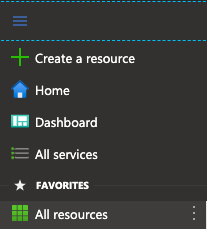
Click on the app service.

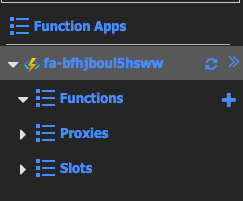
In the left-hand pane, select the Functions row.
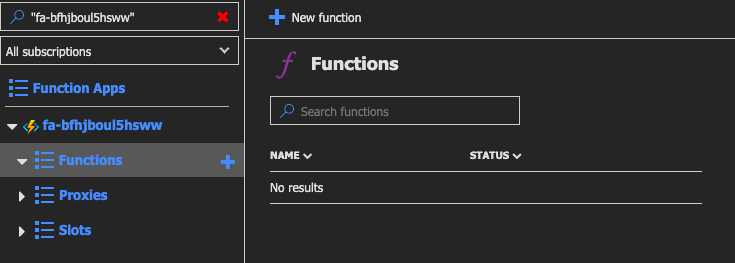
Click + New function.
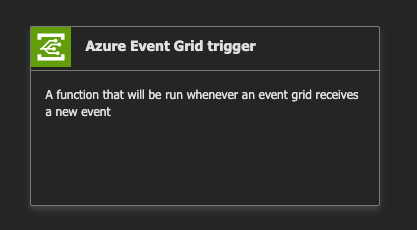
Select the Azure Event Grid trigger box from the list.
Enter "MyEventGridTrigger" without quotes in the Name box.
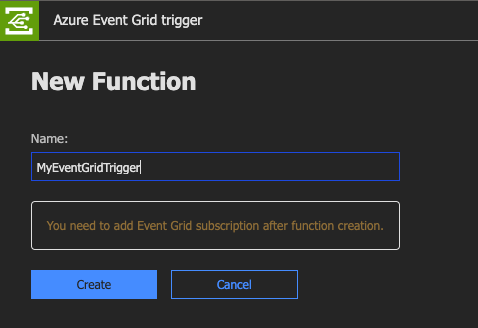
Click Create.
You should see the sample C# script (.csx).
```csharp
#r "Microsoft.Azure.EventGrid"
using Microsoft.Azure.EventGrid.Models;
public static void Run(EventGridEvent eventGridEvent, ILogger log)
{
log.LogInformation(eventGridEvent.Data.ToString());
}
```
## Create the Event Grid Subscription
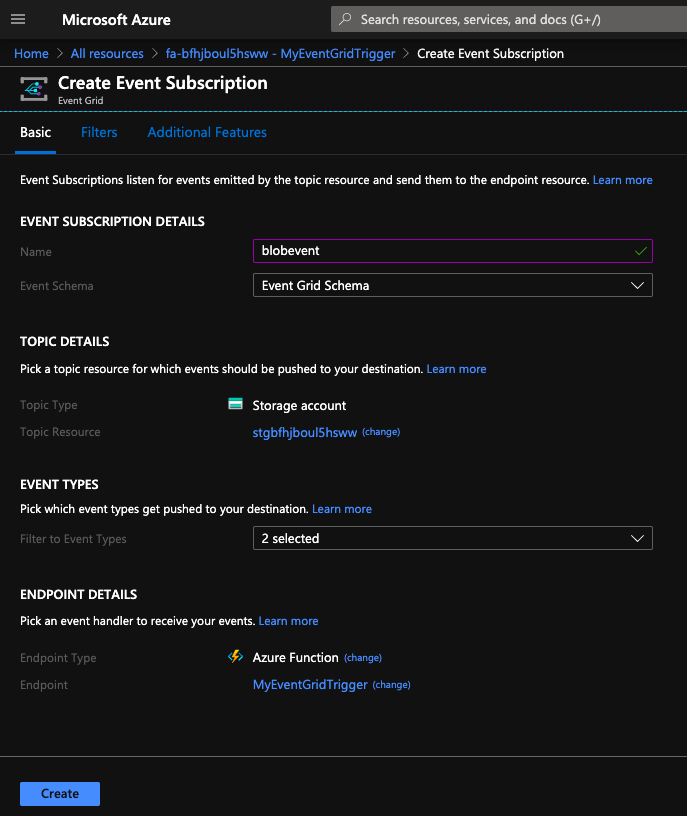
Click Add Event Grid subscription.

In the Name box, enter "blobevent" without quotes.
Use the Topic Types combo box to select Storage Accounts.
Click the Subscription combo box and select the only available option.
Click the Resource Group combo box and select the only available option.
Click the Resource combo box and select the only available option.
Click Create.
## Create a Blob in the Storage Account
At the top of the window, right-click on All resources and open it in a new tab.
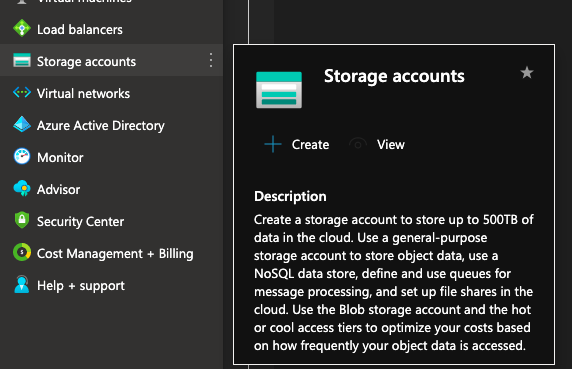
Navigate to the new tab.
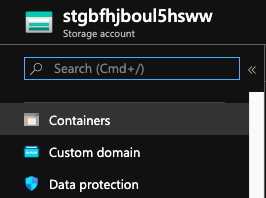
Click on the storage account.

In the main pane, click Containers.
Click + Container.
Enter a Name of "images" without quotes in the box provided.
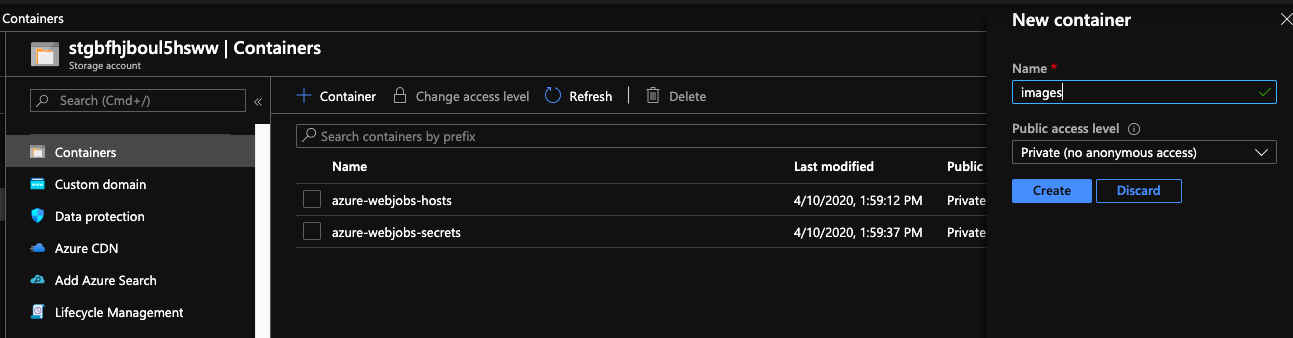
Click OK.
Click the images row.
Click Upload.
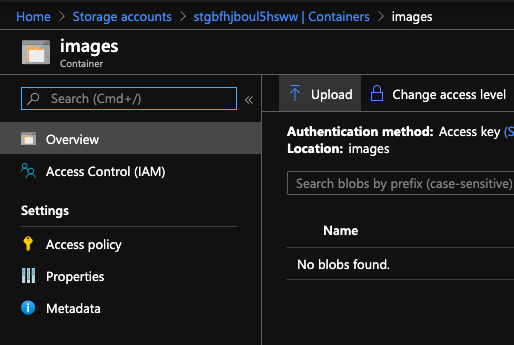
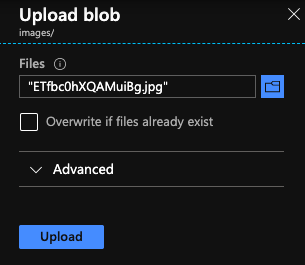
Click the folder button to open the file browser.
Select a local file and then click Open. It is recommended to use a small file.
Click Upload.
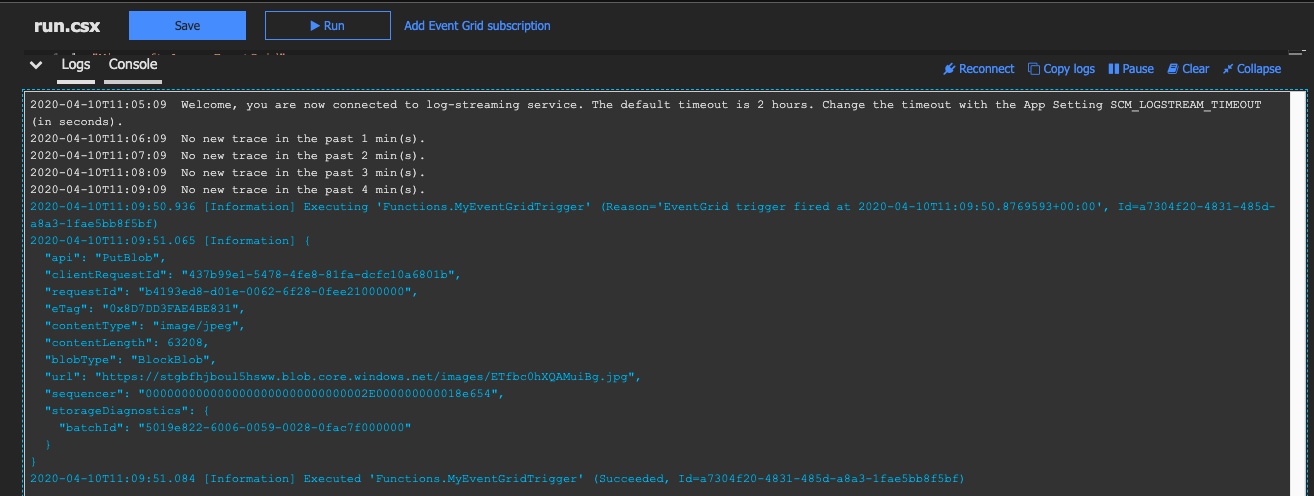
Examine the Function Logs to verify it ran
Return to the Event Grid trigger tab and verify the logs.
Thursday, 26 March 2020
Building Serverless CRUD services in Go with DynamoDB - Part 6 (Bonus)
Welcome to the part 6. This is the last part of this series. In this post, we will create ``loginHandler.go``.
# Getting started
First, let's add the config under functions in serverless.yml
```
login:
handler: bin/handlers/loginHandler
package:
include:
- ./bin/handlers/loginHandler
events:
- http:
path: iam/login
method: post
cors: true
```
Create a file ``loginHandler.go`` under src/handlers
Similarly, we have the below structure.
```
package main
import (
"context"
"encoding/json"
"fmt"
"os"
"github.com/aws/aws-lambda-go/events"
"github.com/aws/aws-lambda-go/lambda"
"github.com/aws/aws-sdk-go/aws"
"github.com/aws/aws-sdk-go/aws/session"
"github.com/aws/aws-sdk-go/service/dynamodb"
"github.com/aws/aws-sdk-go/service/dynamodb/dynamodbattribute"
utils "../utils"
)
type Credentials struct {
// TODO1
}
type User struct {
ID string `json:"id,omitempty"`
UserName string `json:"user_name,omitempty"`
FirstName string `json:"first_name,omitempty"`
LastName string `json:"last_name,omitempty"`
Age int `json:"age,omitempty"`
Phone string `json:"phone,omitempty"`
Password string `json:"password,omitempty"`
Email string `json:"email,omitempty"`
Role string `json:"role,omitempty"`
IsActive bool `json:"is_active,omitempty"`
CreatedAt string `json:"created_at,omitempty"`
ModifiedAt string `json:"modified_at,omitempty"`
DeactivatedAt string `json:"deactivated_at,omitempty"`
}
type Response struct {
Response User `json:"response"`
}
var svc *dynamodb.DynamoDB
func init() {
region := os.Getenv("AWS_REGION")
// Initialize a session
if session, err := session.NewSession(&aws.Config{
Region: ®ion,
}); err != nil {
fmt.Println(fmt.Sprintf("Failed to initialize a session to AWS: %s", err.Error()))
} else {
// Create DynamoDB client
svc = dynamodb.New(session)
}
}
func Login(ctx context.Context, request events.APIGatewayProxyRequest) (events.APIGatewayProxyResponse, error) {
var (
tableName = aws.String(os.Getenv("IAM_TABLE_NAME"))
)
//TODO2
}
func main() {
lambda.Start(Login)
}
```
Basically we are going to make an API with POST method. Users are expected to pass their credentials to ``iam/login`` to authorise their identities.
In this tutorials, we only send username and password. You may change username to email if you want. Let's update the below code and remove the comment ``// TODO1``.
```
type Credentials struct {
UserName string `json:"user_name"`
Password string `json:"password"`
}
```
As we only need to return a single object, we can use same response struct used in ``getHandler.go``
```
type Response struct {
Response User `json:"response"`
}
```
The next step is to write our logic under ``//TODO2``. The general idea is that users send their credentials which are further used to check the data in Amazon DynamoDB. It then returns the user object if it matches.
First, we need to initialise ``Credentials`` to hold our users input.
```
creds := &Credentials{}
```
Like what we did previously, parse the request body to creds
```
json.Unmarshal([]byte(request.Body), creds)
```
The next step is to utilise Query API operation for Amazon DynamoDB. In this tutorial, it finds items based on primary key values. You can also query any table or secondary index which has a composite primary key.
Query takes QueryInput. It should includes ``TableName``, ``IndexName``, ``KeyConditions``.
``TableName`` is a required field which tells the client service which table you want to perform Query.
``IndexName`` is the name of an index to query. It can be local secondary index or global secondary index on the table.
``KeyConditions`` includes ``Condition`` which is used when querying a table or an index with comparison operators such as EQ | LE | LT | GE | GT | BEGINS_WITH | BETWEEN. It can also apply ``QueryFilter``.
```
result, err := svc.Query(&dynamodb.QueryInput{
TableName: tableName,
IndexName: aws.String("IAM_GSI"),
KeyConditions: map[string]*dynamodb.Condition{
"user_name": {
ComparisonOperator: aws.String("EQ"),
AttributeValueList: []*dynamodb.AttributeValue{
{
S: aws.String(creds.UserName),
},
},
},
},
})
```
Like other handler, we retrieve the value of IAM_TABLE_NAME in our configuration file and set it to tableName.
```
tableName = aws.String(os.Getenv("IAM_TABLE_NAME"))
```
We select ``IAM_GSI`` to query, which is also defined in serverless.yml in part 1.
```
GlobalSecondaryIndexes:
- IndexName: IAM_GSI
KeySchema:
- AttributeName: user_name
KeyType: HASH
Projection:
ProjectionType: ALL
ProvisionedThroughput:
ReadCapacityUnits: 5
WriteCapacityUnits: 5
```
We then define a ``dynamodb.Condition`` struct holding our condition. As you can see, we only have one condition which is to check if ``user_name`` and ``creds.UserName`` are equal (EQ).
Check if there is an error
```
if err != nil {
fmt.Println("Got error calling Query:")
fmt.Println(err.Error())
// Status Internal Server Error
return events.APIGatewayProxyResponse{
Body: err.Error(),
StatusCode: 500,
}, nil
}
```
If there is no error, we can see a User object in ``result.Items``. However, if there is no item returned from Amazon DynamoDB, we can return an empty object in response.
```
user := User{}
if len(result.Items) == 0 {
body, _ := json.Marshal(&Response{
Response: user,
})
// Status OK
return events.APIGatewayProxyResponse{
Body: string(body),
StatusCode: 200,
}, nil
}
```
The response should look like this
```json
{
"response": {}
}
```
If there is a record found, we can pass it to user.
```
if err := dynamodbattribute.UnmarshalMap(result.Items[0], &user); err != nil {
fmt.Println("Got error unmarshalling:")
fmt.Println(err.Error())
return events.APIGatewayProxyResponse{
Body: err.Error(),
StatusCode: 500,
}, nil
}
```
Now we only check if the password in user input matches with the one in the record.
Remember we've created ``utils/password.go`` in Part 1? We've only created ``HashPassword``. We use this function to hash the password. In order to compare a bcrypt hashed password with its possible plaintext equivalent, we need another function here.
```
func CheckPasswordHash(password, hash string) bool {
err := bcrypt.CompareHashAndPassword([]byte(hash), []byte(password))
return err == nil
}
```
It's simple. We also use bcrypt to perform checking by using ``CompareHashAndPassword``.
Back to ``loginHandler.go``
```
match := utils.CheckPasswordHash(creds.Password, user.Password)
```
If it matches, then we can return user to Response.
```
if match {
body, _ := json.Marshal(&Response{
Response: user,
})
// Status OK
return events.APIGatewayProxyResponse{
Body: string(body),
StatusCode: 200,
}, nil
}
```
If not, we just return an empty user
```
body, _ := json.Marshal(&Response{
Response: User{},
})
// Status Unauthorized
return events.APIGatewayProxyResponse{
Body: string(body),
StatusCode: 401,
}, nil
```
Run the below command to deploy our code
```
./scripts/deploy.sh
```
# Testing
If you go to AWS Lambda Console, you will see there is a function called ``serverless-iam-dynamodb-dev-login``
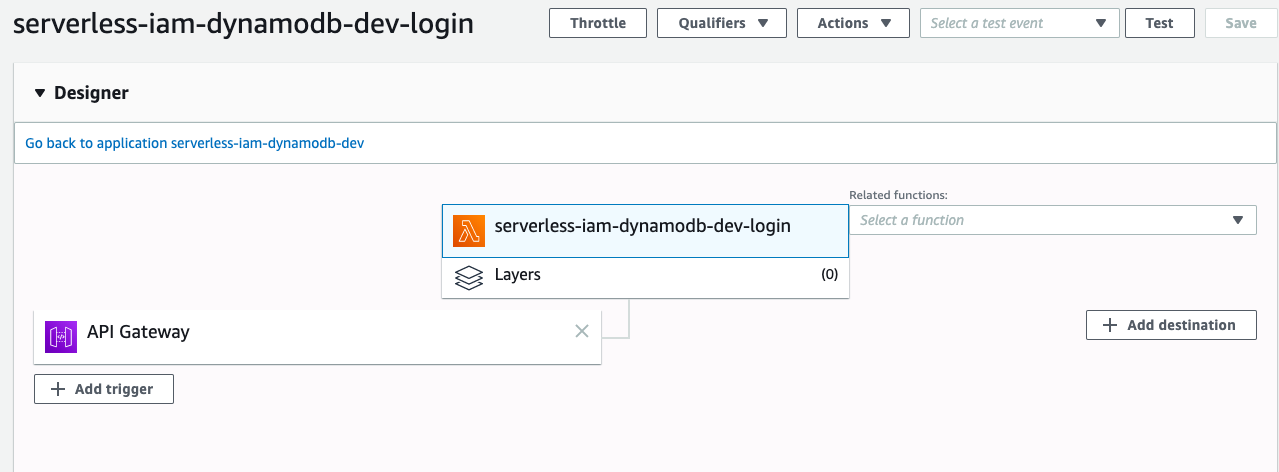
Go to API Gateway Console to test it,
```json
{
"user_name": "wingkwong",
"password": "password"
}
```
You should see the corresponding data.
```json
{
"response": {
"id": "6405bc74-a706-4987-86a9-82cf69d386c2",
"user_name": "wingkwong",
"password": "$2a$15$abtf69CeWZwGPJxIS/D/teXV26kBfY3SmHFNSNTbhP8gNa1OUeoiy",
"email": "wingkwong.me@gmail.com",
"role": "user",
"is_active": true,
"created_at": "2020-03-07 07:29:23.336349405 +0000 UTC m=+0.087254950",
"modified_at": "2020-03-07 07:30:47.531266176 +0000 UTC m=+0.088812866"
}
}
```
Let's try a wrong password
```json
{
"user_name": "wingkwong",
"password": "password2"
}
```
You should see an empty object
```json
{
"response": {}
}
```
# Cleanup
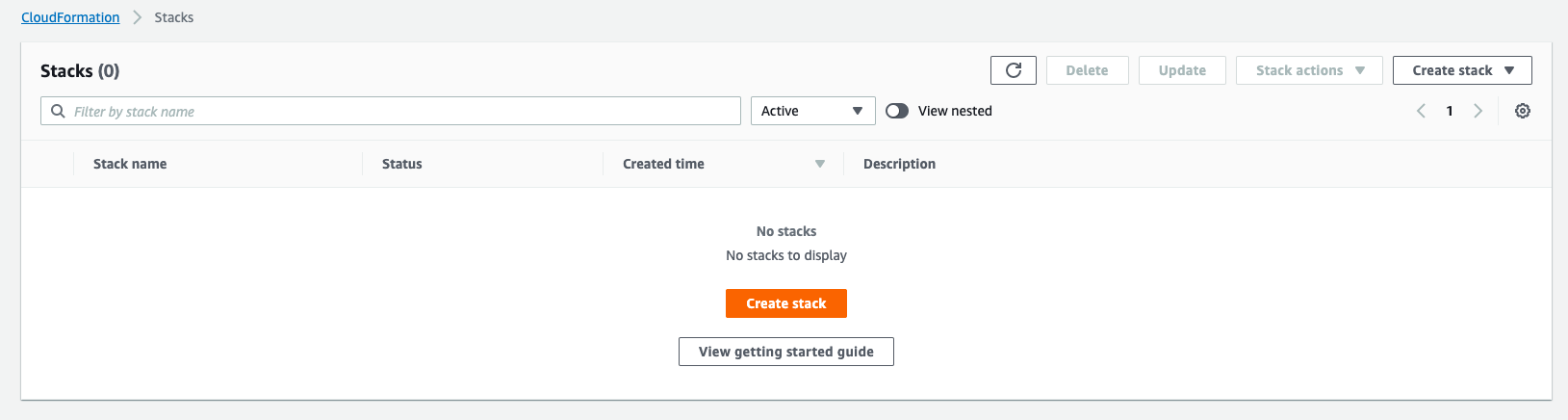
As mentioned in Part 1, serverless provisions / updates a single CloudFormation stack every time we deploy. To cleanup, we just need to delete the stack.
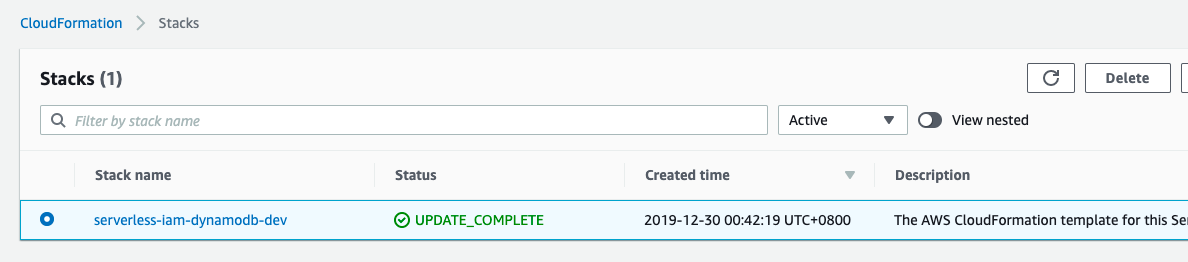
Click Delete stack
You should see the status is now DELETE_IN_PROGRESS.
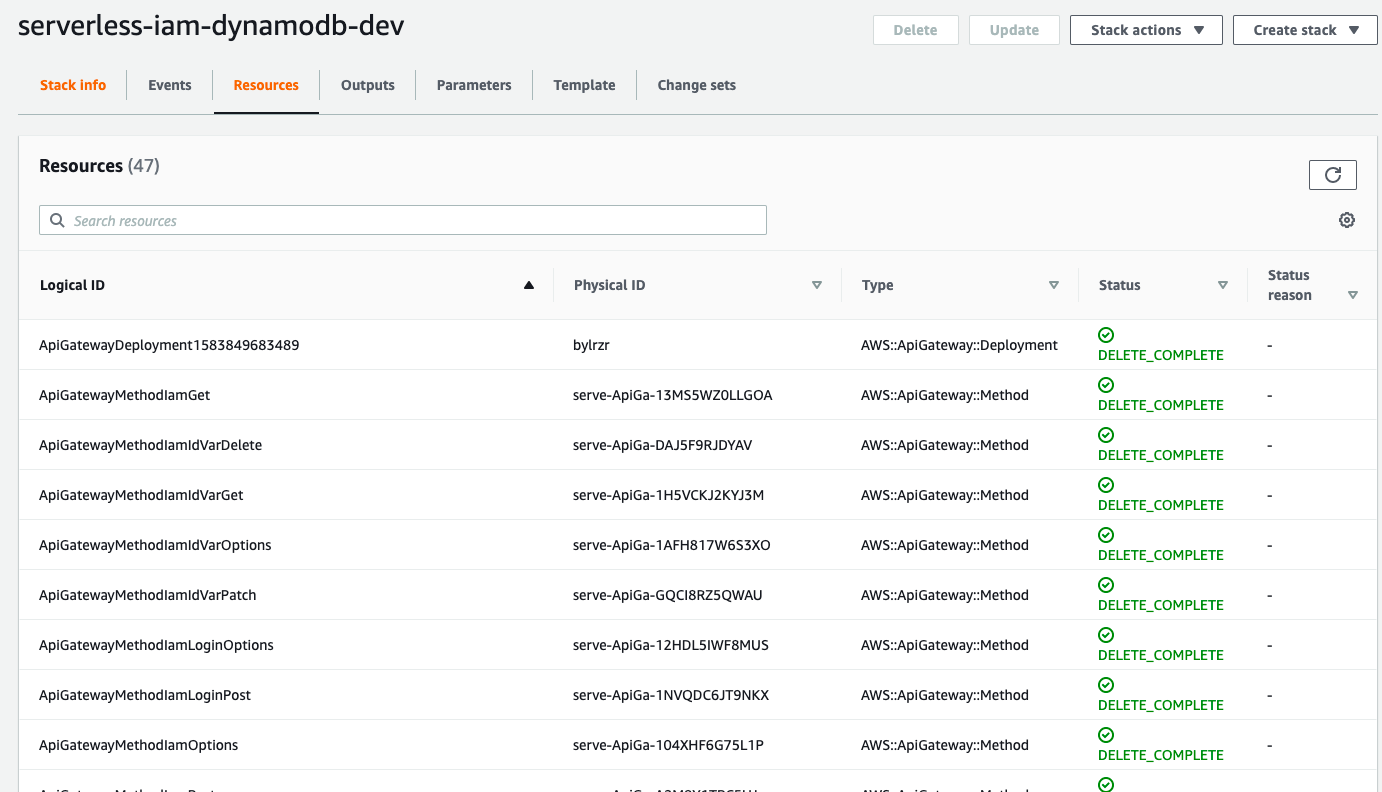
Once it's done, you should see the stack has been deleted.
# Source Code
{% github go-serverless/serverless-iam-dynamodb %}
Monday, 23 March 2020
Building Serverless CRUD services in Go with DynamoDB - Part 5
Welcome to Part 5. Last time we've learnt how to delete a single item in a table by primary key. In this post, we'll learn how to secure our APIs.
# Getting started
First, let's add the config under functions in serverless.yml
```
auth:
package:
include:
- ./bin/handlers/authHandler
handler: bin/handlers/authHandler
```
Previously, we've already created ``list``, ``create``, ``update`` and ``delete``. We would like to secure these APIs. To do so, we just need to simply to just add ``authorizer: auth`` to allow us to run an AWS Lambda Function before your targeted AWS Lambda Function.
Take ``list`` as an example:
```
list:
handler: bin/handlers/listHandler
package:
include:
- ./bin/handlers/listHandler
events:
- http:
path: iam
method: get
cors: true
authorizer: auth
```
Then also add it to ``create``, ``update`` and ``delete``.
Before running our business logic, we can perform some Authorisation. It's also useful for micro-service Architectures.
The next step is to create ``authHandler.go`` under ``src/handlers/``. We need a custom authoriser calling an AWS Lambda Function.
About few months ago, I wrote a tutorial to teach how to build a simple authoriser. If you miss it, please check it out via below link and come back later. We'll use the exact code for this tutorial.
{% link https://dev.to/wingkwong/a-simple-amazon-api-gateway-lambda-authoriser-in-go-4cgd %}
In this example, our authentication strategy is to use bearer token like JWT to authorise our requests before reaching to our endpoints.
Under your environment in serverless.yml, you should add your JWT_SECRET_KEY.
```
environment:
IAM_TABLE_NAME: ${self:custom.iamTableName}
JWT_SECRET_KEY:
```
Run the below command to deploy our code
```
./scripts/deploy.sh
```
# Testing
Go to Amazon API Gateway Console, Select your API and Click Authorizers.
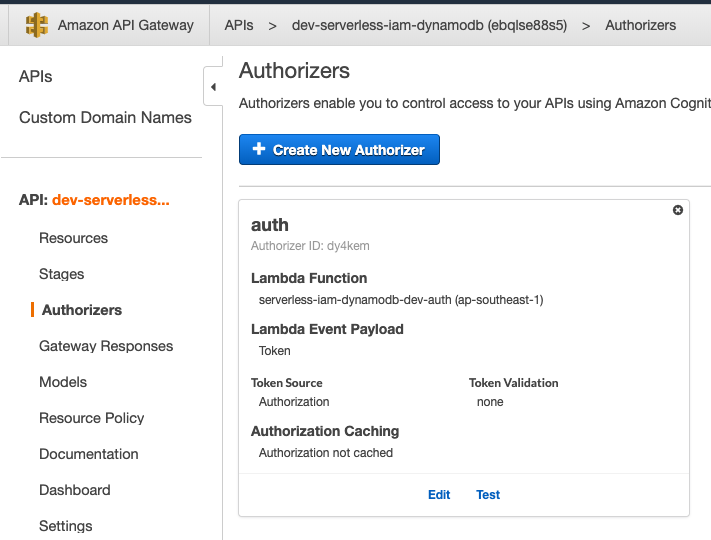
If you test it without the token, you are expected to see the below messages.
```
Response
Response Code: 401
Latency 344
Execution log for request [HIDDEN]
Mon Dec 30 08:56:58 UTC 2019 : Starting authorizer: [HIDDEN]
Mon Dec 30 08:56:58 UTC 2019 : Incoming identity: [HIDDEN]
Mon Dec 30 08:56:58 UTC 2019 : Endpoint request URI: [HIDDEN]
Mon Dec 30 08:56:58 UTC 2019 : Endpoint request headers: [HIDDEN]
Mon Dec 30 08:56:58 UTC 2019 : Endpoint request body after transformations: [HIDDEN]
Mon Dec 30 08:56:58 UTC 2019 : Sending request to [HIDDEN]
Mon Dec 30 08:56:58 UTC 2019 : Unauthorized request: [HIDDEN]
Mon Dec 30 08:56:58 UTC 2019 : Unauthorized
```
With the token, you should see the policy statement authorise our requests.
```json
{
"Version": "2012-10-17",
"Statement": [
{
"Action": [
"execute-api:Invoke"
],
"Effect": "Allow",
"Resource": [
"arn:aws:execute-api:ap-southeast-1:*:a123456789/ESTestInvoke-stage/GET/"
]
}
]
}
```
That's it for part 5. In the next part, we'll create ``loginHandler.go``.
Friday, 20 March 2020
Building Serverless CRUD services in Go with DynamoDB - Part 4
Welcome back! It's been a while. Here's the part 4. In this post, we will create ``deleteHandler.go``.
# Getting started
First, let's add the config under functions in serverless.yml
```
delete:
handler: bin/handlers/deleteHandler
package:
include:
- ./bin/handlers/deleteHandler
events:
- http:
path: iam/{id}
method: delete
cors: true
```
Create a file deleteHandler.go under src/handlers
Similarly, we have the below structure.
```
package main
import (
"context"
"fmt"
"github.com/aws/aws-lambda-go/events"
"github.com/aws/aws-lambda-go/lambda"
"github.com/aws/aws-sdk-go/aws"
"github.com/aws/aws-sdk-go/aws/session"
"github.com/aws/aws-sdk-go/service/dynamodb"
"os"
)
var svc *dynamodb.DynamoDB
func init() {
region := os.Getenv("AWS_REGION")
// Initialize a session
if session, err := session.NewSession(&aws.Config{
Region: ®ion,
}); err != nil {
fmt.Println(fmt.Sprintf("Failed to initialize a session to AWS: %s", err.Error()))
} else {
// Create DynamoDB client
svc = dynamodb.New(session)
}
}
func Delete(ctx context.Context, request events.APIGatewayProxyRequest) (events.APIGatewayProxyResponse, error) {
var (
tableName = aws.String(os.Getenv("IAM_TABLE_NAME"))
id = aws.String(request.PathParameters["id"])
)
// TODO: Add delete logic
}
func main() {
lambda.Start(Delete)
}
```
Deleting a record is pretty simple, we just need the record id (primary key) which can be retrieved from the request path parameters ``id``.
```
func (c *DynamoDB) DeleteItem(input *DeleteItemInput) (*DeleteItemOutput, error)
```
In order to call DeleteItem API operation for Amazon DynamoDB, we need to build ``DeleteItemInput`` first.
```
input := &dynamodb.DeleteItemInput{
Key: map[string]*dynamodb.AttributeValue{
"id": {
S: id,
},
},
TableName: tableName,
}
```
If you define a composite primary key, you must provide values for both the partition key and the sort key. In this case, we just need to provide the first one. We also need to tell which table your records are located in.
call ``DeleteItem`` to delete a single item in a table by primary key
```
_, err := svc.DeleteItem(input)
if err != nil {
fmt.Println("Got error calling DeleteItem:")
fmt.Println(err.Error())
// Status Internal Server Error
return events.APIGatewayProxyResponse{
Body: err.Error(),
StatusCode: 500,
}, nil
}
// Status No Content
return events.APIGatewayProxyResponse{
StatusCode: 204,
}, nil
```
Run the below command to deploy our code
```
./scripts/deploy.sh
```
# Testing
If you go to AWS Lambda Console, you will see there is a function called ``serverless-iam-dynamodb-dev-delete``
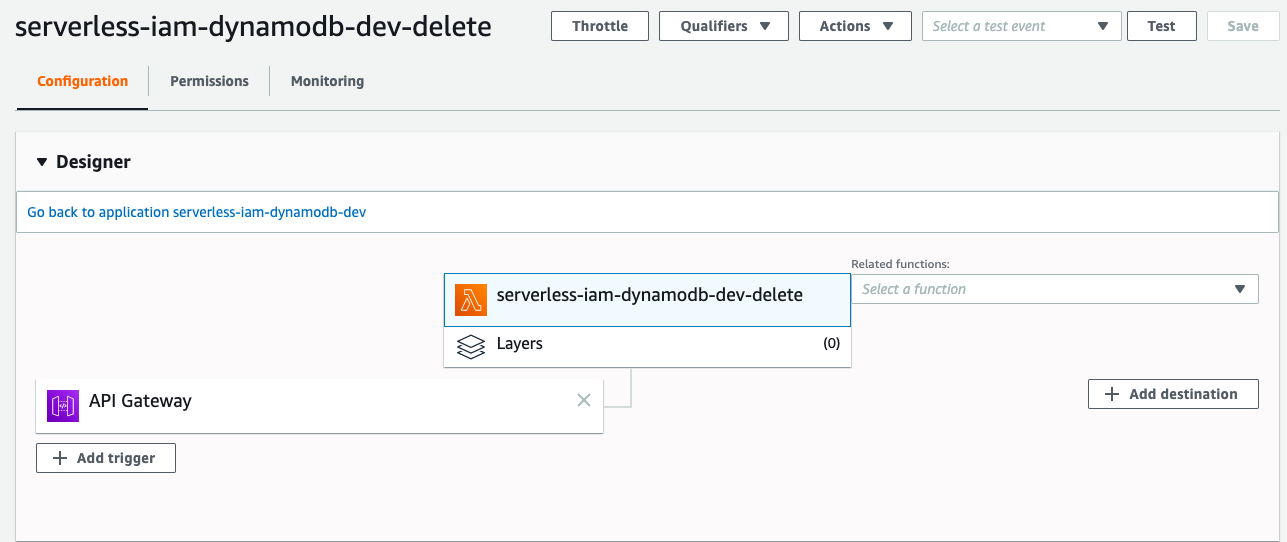
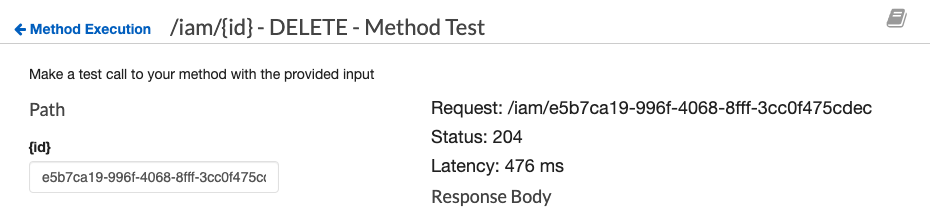
You can test your code either in Lambda or API Gateway.
Upon the success deletion, you should see that the status code returns 204.
That's it for part 4. In the next post, we'll create ``authHandler.go`` to secure our APIs.
Wednesday, 11 March 2020
Building Serverless CRUD services in Go with DynamoDB - Part 3
So far we've created ``createHandler.go`` and ``listHandler.go``. In part 3, we will learn how to build ``updateHandler.go``
# Getting started
First, let's add the config under functions in serverless.yml
```
update:
handler: bin/handlers/updateHandler
package:
include:
- ./bin/handlers/updateHandler
events:
- http:
path: iam/{id}
method: patch
cors: true
```
Create a file updateHandler.go under src/handlers
Similarly, we have the below structure.
```
package main
import (
"context"
"encoding/json"
"fmt"
"github.com/aws/aws-lambda-go/events"
"github.com/aws/aws-lambda-go/lambda"
"github.com/aws/aws-sdk-go/aws"
"github.com/aws/aws-sdk-go/aws/session"
"github.com/aws/aws-sdk-go/service/dynamodb"
"github.com/aws/aws-sdk-go/service/dynamodb/expression"
"gopkg.in/go-playground/validator.v9"
"os"
"reflect"
"strings"
"time"
)
var svc *dynamodb.DynamoDB
func init() {
region := os.Getenv("AWS_REGION")
// Initialize a session
if session, err := session.NewSession(&aws.Config{
Region: ®ion,
}); err != nil {
fmt.Println(fmt.Sprintf("Failed to initialize a session to AWS: %s", err.Error()))
} else {
// Create DynamoDB client
svc = dynamodb.New(session)
}
}
type User struct {
ID *string `json:"id,omitempty"`
UserName *string `json:"user_name,omitempty" validate:"omitempty,min=4,max=20"`
FirstName *string `json:"first_name,omitempty"`
LastName *string `json:"last_name,omitempty"`
Age *int `json:"age,omitempty"`
Phone *string `json:"phone,omitempty"`
Email *string `json:"email,omitempty" validate:"omitempty,email"`
Role *string `json:"role,omitempty" validate:"omitempty,min=4,max=20"`
IsActive *bool `json:"is_active,omitempty"`
CreatedAt *string `json:"created_at,omitempty"`
ModifiedAt string `json:"modified_at,omitempty"`
DeactivatedAt *string `json:"deactivated_at,omitempty"`
}
func Update(ctx context.Context, request events.APIGatewayProxyRequest) (events.APIGatewayProxyResponse, error) {
var (
tableName = aws.String(os.Getenv("IAM_TABLE_NAME"))
id = aws.String(request.PathParameters["id"])
)
// TODO: Add Update logic
}
func main() {
lambda.Start(Update)
}
```
When we update a record, we need to update the column ``ModifiedAt``.
```
user := &User{
ModifiedAt: time.Now().String(),
}
```
Similar to ``createHandler.go``, we parse the request body and perform validation.
```
// Parse request body
json.Unmarshal([]byte(request.Body), user)
// Validate user struct
var validate *validator.Validate
validate = validator.New()
err := validate.Struct(user)
if err != nil {
// Status Bad Request
return events.APIGatewayProxyResponse{
Body: err.Error(),
StatusCode: 400,
}, nil
}
```
We need to create a ``dynamodb.UpdateItemInput`` for DynamoDB service to update the item. You may see that some people use the following code.
```
input := &dynamodb.UpdateItemInput{
Key: map[string]*dynamodb.AttributeValue{
"id": {
S: aws.String(id),
},
UpdateExpression: aws.String("set #a = :a, #b = :b, #c = :c"),
ExpressionAttributeNames: map[string]*string{
"#a": &a,
"#b": &b,
"#c": &c,
},
ExpressionAttributeValues: map[string]*dynamodb.AttributeValue{
":a": {
BOOL: aws.Bool(true),
},
":b": {
BOOL: aws.Bool(true),
},
":c": {
BOOL: aws.Bool(true),
},
},
ReturnValues: aws.String("UPDATED_NEW"),
TableName: "tableName",
}
```
The above example uses ``set`` to update attribute ``a``, ``b``, and ``c`` with mapped attribute values provided in ``ExpressionAttributeValues``.
With such approach, the expression cannot be dynamic as we allow users to update some specific attributes only.
To do that, we use reflect to get the input struct and get the json name without a corresponding tag. Then we append each json field name and its value to UpdateBuilder by using ``UpdateBuilder.Set``.
```
u := reflect.ValueOf(user).Elem()
t := u.Type()
for i := 0; i < u.NumField(); i++ {
f := u.Field(i)
// check if it is empty
if !reflect.DeepEqual(f.Interface(), reflect.Zero(f.Type()).Interface()) {
jsonFieldName := t.Field(i).Name
// get json field name
if jsonTag := t.Field(i).Tag.Get("json"); jsonTag != "" && jsonTag != "-" {
if commaIdx := strings.Index(jsonTag, ","); commaIdx > 0 {
jsonFieldName = jsonTag[:commaIdx]
}
}
// construct update
update = update.Set(expression.Name(jsonFieldName), expression.Value(f.Interface()))
}
}
```
Create a new Builder with Update
```
builder := expression.NewBuilder().WithUpdate(update)
```
Call ``Build()`` to get the expression and error
```
expression, err := builder.Build()
```
Verify if there is an error
```
if err != nil {
// Status Bad Request
return events.APIGatewayProxyResponse{
Body: err.Error(),
StatusCode: 400,
}, nil
}
```
Create ``dynamodb.UpdateItemInput``
```
// Update a record by id
input := &dynamodb.UpdateItemInput{
Key: map[string]*dynamodb.AttributeValue{
"id": {
S: id,
},
},
ExpressionAttributeNames: expression.Names(),
ExpressionAttributeValues: expression.Values(),
UpdateExpression: expression.Update(),
ReturnValues: aws.String("UPDATED_NEW"),
TableName: tableName,
}
```
Feed it into ``UpdateItem``
```
_, err = svc.UpdateItem(input)
```
Check if it can be updated or not
```
if err != nil {
fmt.Println("Got error calling UpdateItem:")
fmt.Println(err.Error())
// Status Internal Server Error
return events.APIGatewayProxyResponse{
Body: err.Error(),
StatusCode: 500,
}, nil
}
// Status OK
return events.APIGatewayProxyResponse{
Body: request.Body,
StatusCode: 200,
}, nil
```
Run the below command to deploy our code
```
./scripts/deploy.sh
```
# Testing
If you go to AWS Lambda Console, you will see there is a function called ``serverless-iam-dynamodb-dev-update``
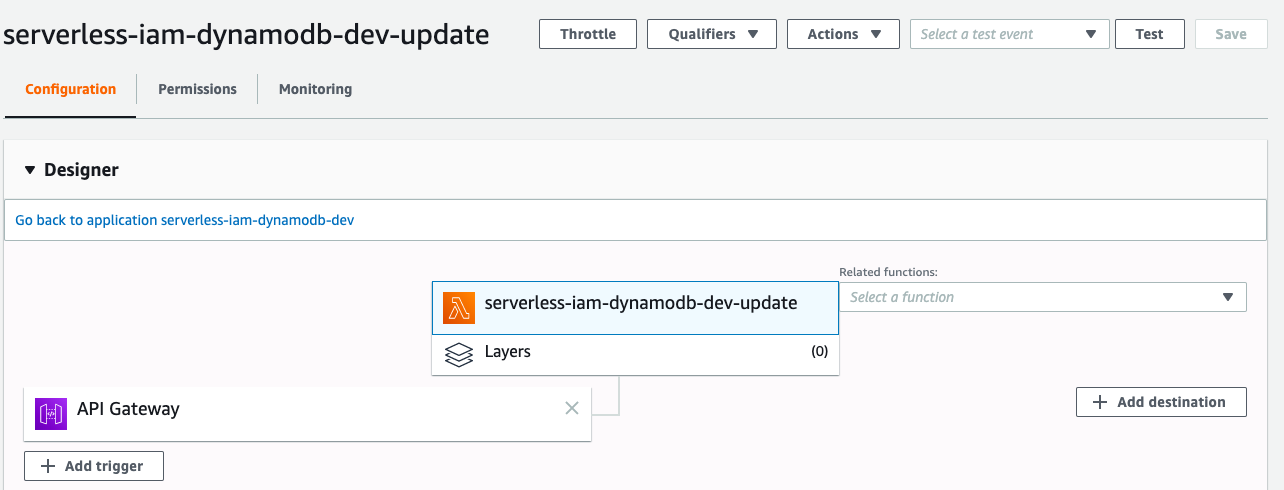
Go to API Gateway Console to test it, this time we need to set an id.
```json
{
"email": "wingkwong@gmail.com"
}
```
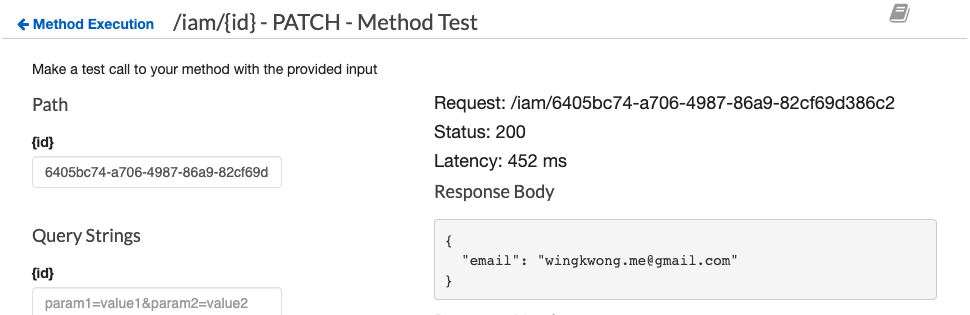
If the update returns 200, then go to DynamoDB to verify the result.

We should see that only the email has been updated.
That's it for part 3. In part 4, we will create ``deleteHandler.go``.
Sunday, 8 March 2020
Building Serverless CRUD services in Go with DynamoDB - Part 2
In the previous post, we've created ``createHandler``. In this post, we'll create ``listHandler``.
# Getting started
First, let's add the config under ``functions`` in ``serverless.yml``
```
list:
handler: bin/handlers/listHandler
package:
include:
- ./bin/handlers/listHandler
events:
- http:
path: iam
method: get
cors: true
```
Create a file ``listHandler.go`` under src/handlers
Similarly, we have the below structure.
```
package main
import (
"context"
"encoding/json"
"fmt"
"os"
"github.com/aws/aws-lambda-go/events"
"github.com/aws/aws-lambda-go/lambda"
"github.com/aws/aws-sdk-go/aws"
"github.com/aws/aws-sdk-go/aws/session"
"github.com/aws/aws-sdk-go/service/dynamodb"
"github.com/aws/aws-sdk-go/service/dynamodb/dynamodbattribute"
)
// TODO1: Define User Struct
// TODO2: Define User Response Struct
var svc *dynamodb.DynamoDB
func init() {
region := os.Getenv("AWS_REGION")
// Initialize a session
if session, err := session.NewSession(&aws.Config{
Region: ®ion,
}); err != nil {
fmt.Println(fmt.Sprintf("Failed to initialize a session to AWS: %s", err.Error()))
} else {
// Create DynamoDB client
svc = dynamodb.New(session)
}
}
func List(ctx context.Context, request events.APIGatewayProxyRequest) (events.APIGatewayProxyResponse, error) {
var (
tableName = aws.String(os.Getenv("IAM_TABLE_NAME"))
)
// TODO3: Add DynamoDB retrival logic
}
func main() {
lambda.Start(List)
}
```
For TODO1, this time we don't need omitempty tags because we want to retrieve every field. Ths struct would be
```
type User struct {
ID string `json:"id"`
UserName string `json:"user_name"`
FirstName string `json:"first_name"`
LastName string `json:"last_name"`
Age int `json:"age"`
Phone string `json:"phone"`
Password string `json:"password"`
Email string `json:"email"`
Role string `json:"role"`
IsActive bool `json:"is_active"`
CreatedAt string `json:"created_at"`
ModifiedAt string `json:"modified_at"`
DeactivatedAt string `json:"deactivated_at"`
}
```
We also need another struct for holding our user response. Let's create a new one and remove TODO2 comment.
```
type Response struct {
Response []User `json:"response"`
}
```
By doing so, our response should look like
```json
{
"response": [
{
// user record #1
},
{
// user record #2
}
// and so on
]
}
```
When I was coding the response part, one mistake I made was I accidentally added an extra space after ``json:`` like
```
type Response struct {
Response []User `json: "response"`
}
```
and I got the below result
```json
{
"Response": [
{
// user record #1
},
{
// user record #2
}
// and so on
]
}
```
If there is no json tag or the tag cannot be read, it will reflect the json field name instead.
This time we need to use ``svc`` to retrieve the users from DynamoDB. First of all, we need to build the query input parameters
```
params := &dynamodb.ScanInput{
TableName: tableName,
}
```
Make the DynamoDB Query API call
```
result, err := svc.Scan(params)
if err != nil {
fmt.Println("Query API call failed:")
fmt.Println((err.Error()))
// Status Bad Request
return events.APIGatewayProxyResponse{
Body: err.Error(),
StatusCode: 400,
}, nil
}
```
Construct users from response
```
var users []User
for _, i := range result.Items {
user := User{}
if err := dynamodbattribute.UnmarshalMap(i, &user); err != nil {
fmt.Println("Got error unmarshalling:")
fmt.Println(err.Error())
return events.APIGatewayProxyResponse{
Body: err.Error(),
StatusCode: 400,
}, nil
}
users = append(users, user)
}
```
Marshal the user response and return APIGatewayProxyResponse
```
body, _ := json.Marshal(&Response{
Response: users,
})
return events.APIGatewayProxyResponse{
Body: string(body),
StatusCode: 200,
}, nil
```
Let's deploy and test it
```
./scripts/deploy.sh
```
# Testing
If you go to AWS Lambda Console, you should see there is a function called ``serverless-iam-dynamodb-dev-get``
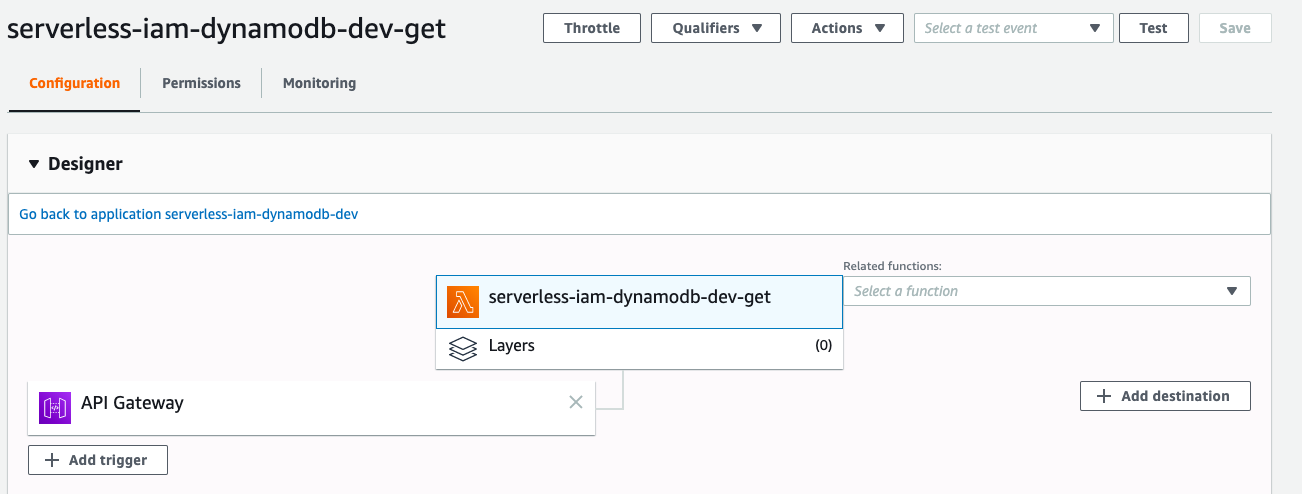
You can test your code either in Lambda or API Gateway.
Since this is a GET method, a request body is not supported. The response should look like
```json
{
"response": [
{
"id": "bd6fde14-3f6a-4551-95f3-349077a5501f",
"user_name": "wingkwong",
"first_name": null,
"last_name": null,
"age": null,
"phone": null,
"password": "$2a$14$iwyLz8DOnbcolxXezZGXG.uXN9kCxJ8aYzMFftYZ06j1Ybb4uThC2",
"email": "wingkwong@gmail.com",
"role": "user",
"is_active": true,
"created_at": "2019-12-28 13:16:41.09607401 +0000 UTC m=+0.077451001",
"modified_at": "2019-12-28 13:16:41.096188175 +0000 UTC m=+0.077565137",
"deactivated_at": null
}
]
}
```
That's it for part 2. In the next post, we'll create ``updateHandler.go``.
Tuesday, 3 March 2020
Building Serverless CRUD services in Go with DynamoDB - Part 1
[AWS Lamdba](https://aws.amazon.com/lambda/) is a serverless compute service which allows you to run your code without provisioning or managing servers. It costs only the compute time that you consume. It also supports continuous scaling. [AWS DynamoDB](https://aws.amazon.com/dynamodb/) is a serverless database for applications that need high performance at any scale. We'll also use [Serverless Framework](https://serverless.com/) to deploy our services on AWS.
In this series, we'll go through how to implement serverless CRUD services with DynamoDB in Go.
# Project structure
/.serverless
It will be created automatically when running ``serverless deploy`` in where deployment zip files, cloudformation stack files will be generated
/bin
This is the folder where our built Go codes are placed
/scripts
General scripts for building Go codes and deployment
/src/handlers
All Lambda handlers will be placed here
# Prerequisites
Install serverless cli
```
npm install -g serverless
```
Install aws cli
```
pip install awscli
```
Setup your aws credentials
```
aws configure
```
Of course you need to install [Go](https://golang.org/doc/install)
# Getting started
First of all, we need to create ``serverless.yml`` which is the main config for your service. When you run ``serverless deploy``, the framework will use this config file to help provision the corresponding resources.
First, let's name our service. You can name whatever your like.
```
service: serverless-iam-dynamodb
```
Then, let's create the primary section - provider. We can choose our serverless provider such as AWS, Google Cloud or Azure and specify the programming language we use. In this example, we'll use aws with go 1.x. We can need to set the stage, region, environment variables and IAM role statements here.
```
provider:
name: aws
runtime: go1.x
stage: dev
region: ap-southeast-1
environment:
IAM_TABLE_NAME: ${self:custom.iamTableName}
iamRoleStatements:
- Effect: Allow
Action:
- dynamodb:Scan
- dynamodb:Query
- dynamodb:GetItem
- dynamodb:PutItem
- dynamodb:UpdateItem
- dynamodb:DeleteItem
Resource:
- ${self:custom.iamTableArn}
- Fn::Join:
- /
- - ${self:custom.iamTableArn}
- index/*
```
Every Lambda function requires certain permissions to interact with AWS resources and they are set via an AWS IAM Role. In this example, we allow the function to perform multiple dynamodb actions on the resource ``${self:custom.iamTableArn}``.
Since we'll use ``dynamodb:Query`` and by default index is not allowed so we have to allow it here. Below snippet shows how to join our ARN and the string index/*.
```
- Fn::Join:
- /
- - ${self:custom.iamTableArn}
- index/*
```
What is ``${self:custom.iamTableArn}``? We haven't defined it yet. Let's do it.
```
custom:
iamTableName: ${self:service}-${self:provider.stage}-iam
iamTableArn:
Fn::Join:
- ":"
- - arn
- aws
- dynamodb
- Ref: AWS::Region
- Ref: AWS::AccountId
- table/${self:custom.iamTableName}
```
This ``custom`` section just allows us to create our custom variables. In this example, we define our table name and table ARN.
After that, we need to define how to package our code.
```
package:
individually: true
exclude:
- ./**
```
It's pretty self-explanatory. This is to package our functions separately (See the below ``functions`` section) and exclude everything in the root directory.
Moving on to next section ``functions``. This is where we define our Lambda functions. We'll create a function called ``create`` where the handler is ``bin/handlers/createHandler`` which will be built by our script later. Inside ``events``, we can define our HTTP endpoint. This example is a POST method with the path ``/iam``. To handle preflight requests, we can set ``cors: true`` to the HTTP endpoint.
```
functions:
create:
handler: bin/handlers/createHandler
package:
include:
- ./bin/handlers/createHandler
events:
- http:
path: iam
method: post
cors: true
```
The last section is to define what resources we need to provision. These resources are AWS infrastructure resources that our functions depend on. In this example, we need to deploy DynamoDB.
```
resources:
Resources:
iamTable:
Type: AWS::DynamoDB::Table
Properties:
TableName: ${self:custom.iamTableName}
ProvisionedThroughput:
ReadCapacityUnits: 1
WriteCapacityUnits: 1
AttributeDefinitions:
- AttributeName: id
AttributeType: S
- AttributeName: user_name
AttributeType: S
KeySchema:
- AttributeName: id
KeyType: HASH
GlobalSecondaryIndexes:
- IndexName: IAM_GSI
KeySchema:
- AttributeName: user_name
KeyType: HASH
Projection:
ProjectionType: ALL
ProvisionedThroughput:
ReadCapacityUnits: 5
WriteCapacityUnits: 5
```
There are other sections you can use. For more, please check out serverless framework documentation [here](https://serverless.com/framework/docs/).
After defining our serverless.yml, we can start writing our Go codes. Let's create ``src/handlers/createHandler.go`` which is responsible for handling a POST request.
First, we need to define the package name as ``main``
```
package main
```
or else you will get something like this
```
{
"errorMessage": "fork/exec /var/task/main: no such file or directory",
"errorType": "PathError"
}
```
Import the packages that will be used later
```
import (
"context"
"encoding/json"
"fmt"
"os"
"time"
"github.com/aws/aws-lambda-go/events"
"github.com/aws/aws-lambda-go/lambda"
"github.com/aws/aws-sdk-go/aws"
"github.com/aws/aws-sdk-go/aws/session"
"github.com/aws/aws-sdk-go/service/dynamodb"
"github.com/aws/aws-sdk-go/service/dynamodb/dynamodbattribute"
"gopkg.in/go-playground/validator.v9"
"github.com/satori/go.uuid"
utils "../utils"
)
```
Create a User struct. Since some fields are optional, we can use ``omitempty`` to omit them.
```
type User struct {
ID string `json:"id" validate:"required"`
UserName string `json:"user_name" validate:"required,min=4,max=20"`
FirstName *string `json:"first_name,omitempty"`
LastName *string `json:"last_name,omitempty"`
Age *int `json:"age,omitempty"`
Phone *string `json:"phone,omitempty"`
Password string `json:"password" validate:"required,min=4,max=50"`
Email string `json:"email" validate:"required,email"`
Role string `json:"role" validate:"required,min=4,max=20"`
IsActive bool `json:"is_active" validate:"required"`
CreatedAt string `json:"created_at,omitempty"`
ModifiedAt string `json:"modified_at,omitempty"`
DeactivatedAt *string `json:"deactivated_at,omitempty"`
}
```
Declare a global variable ``svc``
```
var svc *dynamodb.DynamoDB
```
Create an init function which is executed when the handler is loaded. In this function, we simply initialize a session to AWS and create a DynamoDB client service.
```
func init() {
region := os.Getenv("AWS_REGION")
// Initialize a session
if session, err := session.NewSession(&aws.Config{
Region: ®ion,
}); err != nil {
fmt.Println(fmt.Sprintf("Failed to initialize a session to AWS: %s", err.Error()))
} else {
// Create DynamoDB client
svc = dynamodb.New(session)
}
}
```
Create a main function. It is the entry point that executes our Lambda function code ``Create``
```
func main() {
lambda.Start(Create)
}
```
Create a function called ``Create`` which is our Lambda function. Please note that the handler name has to be captialized.
```
func Create(ctx context.Context, request events.APIGatewayProxyRequest) (events.APIGatewayProxyResponse, error) {
// TODO
}
```
Inside ``Create``, declare two variables which will be used later
```
var (
id = uuid.Must(uuid.NewV4()).String()
tableName = aws.String(os.Getenv("IAM_TABLE_NAME"))
)
```
Initialize ``user`` with default values
```
user := &User{
ID: id,
IsActive: true,
Role: "user",
CreatedAt: time.Now().String(),
ModifiedAt: time.Now().String(),
}
```
Use json.Unmarshal to parse the request body
```
json.Unmarshal([]byte(request.Body), user)
```
You may notice that there are some validation tags in the user struct. Validation should be done in both frontend and backend. Here's the way to validate the user input. If validation fails, it will end immediately and return an APIGatewayProxyResponse.
```
var validate *validator.Validate
validate = validator.New()
err := validate.Struct(user)
if err != nil {
// Status Bad Request
return events.APIGatewayProxyResponse{
Body: err.Error(),
StatusCode: 400,
}, nil
}
```
We need to generate a hash password before storing in dynamodb
```
// Encrypt password
user.Password, err = utils.HashPassword(user.Password)
if err != nil {
fmt.Println("Got error calling HashPassword:")
fmt.Println(err.Error())
// Status Bad Request
return events.APIGatewayProxyResponse{
Body: err.Error(),
StatusCode: 400,
}, nil
}
```
utils/password.go
```
package utils
import (
"golang.org/x/crypto/bcrypt"
)
func HashPassword(password string) (string, error) {
hash, err := bcrypt.GenerateFromPassword([]byte(password), 15)
return string(hash), err
}
```
We need to convert the User Go type to a dynamodb.AttributeValue type by using MarshalMap so that we can use the values to make a PutItem API request.
```
item, err := dynamodbattribute.MarshalMap(user)
if err != nil {
fmt.Println("Got error calling MarshalMap:")
fmt.Println(err.Error())
// Status Bad Request
return events.APIGatewayProxyResponse{
Body: err.Error(),
StatusCode: 400,
}, nil
}
```
Create PutItemInput parameters
```
params := &dynamodb.PutItemInput{
Item: item,
TableName: tableName,
}
```
Use the service to trigger call PutItem with the parameters we just created
```
if _, err := svc.PutItem(params); err != nil {
// Status Internal Server Error
return events.APIGatewayProxyResponse{
Body: err.Error(),
StatusCode: 500,
}, nil
} else {
body, _ := json.Marshal(user)
// Status OK
return events.APIGatewayProxyResponse{
Body: string(body),
StatusCode: 200,
}, nil
}
```
# Buliding our code
For building our code, we can write a simple bash script to do that.
/scripts/build.sh
```bash
#!/usr/bin/env bash
dep ensure
echo "************************************************"
echo "* Compiling functions to bin/handlers/ ... "
echo "************************************************"
rm -rf bin/
cd src/handlers/
for f in *.go; do
filename="${f%.go}"
if GOOS=linux go build -o "../../bin/handlers/$filename" ${f}; then
echo "* Compiled $filename"
else
echo "* Failed to compile $filename!"
exit 1
fi
done
echo "************************************************"
echo "* Formatting Code ... "
echo "************************************************"
go fmt
echo "************************************************"
echo "* Build Completed "
echo "************************************************"
```
``dep`` is a dependency management tool for Go. We use ``dep`` to delivers a safe, complete, and reproducible set of dependencies.
We need to create some rules in ``Gopkg.toml`` to let ``dep`` catch up the changes.
```toml
[[constraint]]
name = "github.com/aws/aws-lambda-go"
version = "1.0.1"
[[constraint]]
name = "github.com/aws/aws-sdk-go"
version = "1.12.70"
[[constraint]]
name = "github.com/satori/go.uuid"
version = "1.2.0"
[[constraint]]
name = "gopkg.in/go-playground/validator.v9"
version = "9.31.0"
[[constraint]]
name = "golang.org/x/crypto/bcrypt"
```
Then we remove ``rm -rf bin/``, build our Go codes and format the code before exiting.
Once the build is done, you can find your executable files under ``/bin``
# Deploying your lambda code
To deploy our code, we just need to run ``serverless deploy``. However, we need to make sure that we've built our code and the build completed successfully.
```bash
#!/usr/bin/env bash
echo "************************************************"
echo "* Building ... "
echo "************************************************"
./scripts/build.sh
if [ $? == 0 ]; then
echo "************************************************"
echo "* Deploying ... "
echo "************************************************"
serverless deploy
fi
```
Run the below command to deploy our code
```
./scripts/deploy.sh
```
You should see something like
```
************************************************
* Building ...
************************************************
************************************************
* Compiling functions to bin/handlers/ ...
************************************************
* Compiled createHandler
************************************************
* Formatting Code ...
************************************************
createHandler.go
************************************************
* Build Completed
************************************************
************************************************
* Deploying ...
************************************************
Serverless: Packaging service...
Serverless: Excluding development dependencies...
Serverless: Excluding development dependencies...
Serverless: Excluding development dependencies...
Serverless: Excluding development dependencies...
Serverless: Uploading CloudFormation file to S3...
Serverless: Uploading artifacts...
Serverless: Uploading service create.zip file to S3 (13.54 KB)...
Serverless: Validating template...
Serverless: Updating Stack...
Serverless: Checking Stack update progress...
........................
Serverless: Stack update finished...
Service Information
service: serverless-iam-dynamodb
stage: dev
region: ap-southeast-1
stack: serverless-iam-dynamodb-dev
resources: 30
api keys:
None
endpoints:
POST - https://.execute-api.ap-southeast-1.amazonaws.com/dev/iam
functions:
create: serverless-iam-dynamodb-dev-create
layers:
None
Serverless: Removing old service artifacts from S3...
Serverless: Run the "serverless" command to setup monitoring, troubleshooting and testing
```
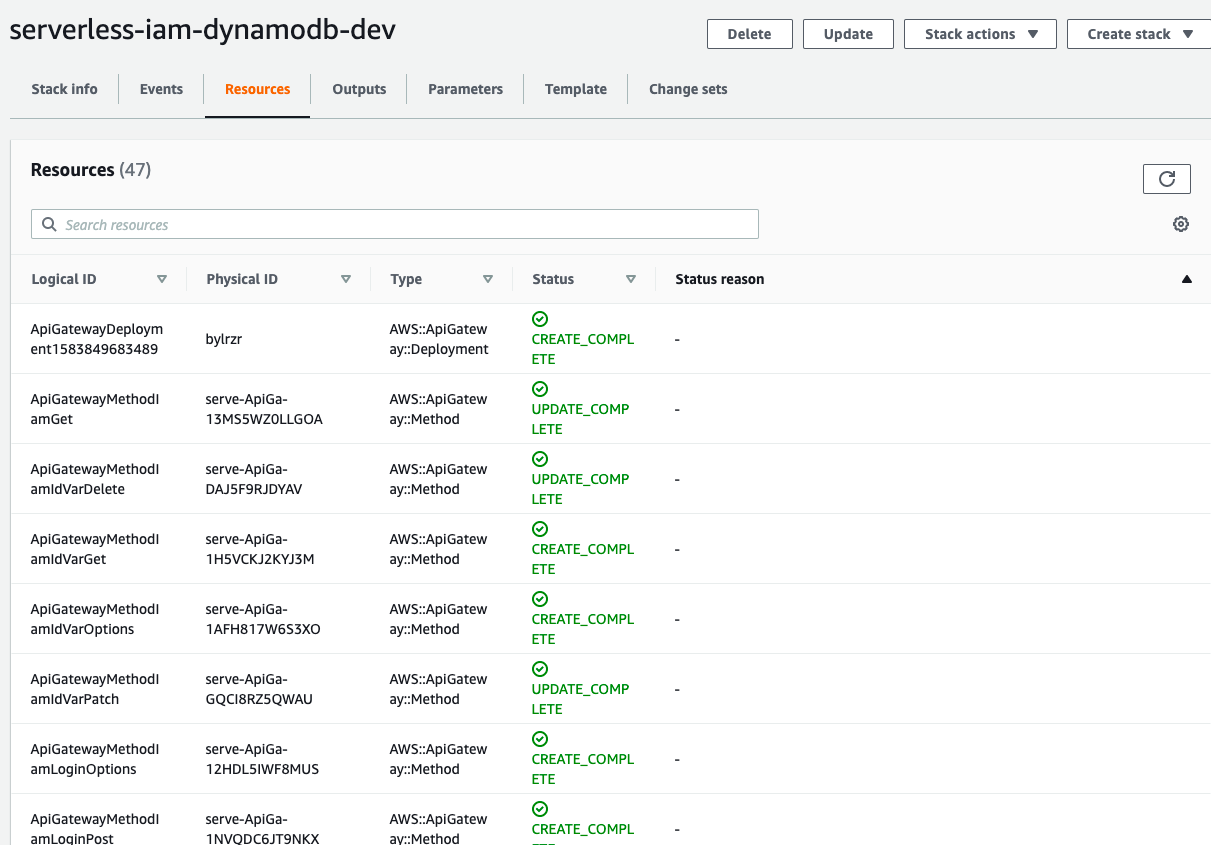
Every time you run this script to deploy, serverless will create or update a single AWS CloudFormation stack to provision / update corresponding resources. You can see the resources in CloudFormation Portal.
CloudFormation > Stacks > serverless-iam-dynamodb-dev
# Testing
If you go to AWS Lambda Console, you will see there is a function called ``serverless-iam-dynamodb-dev-create``
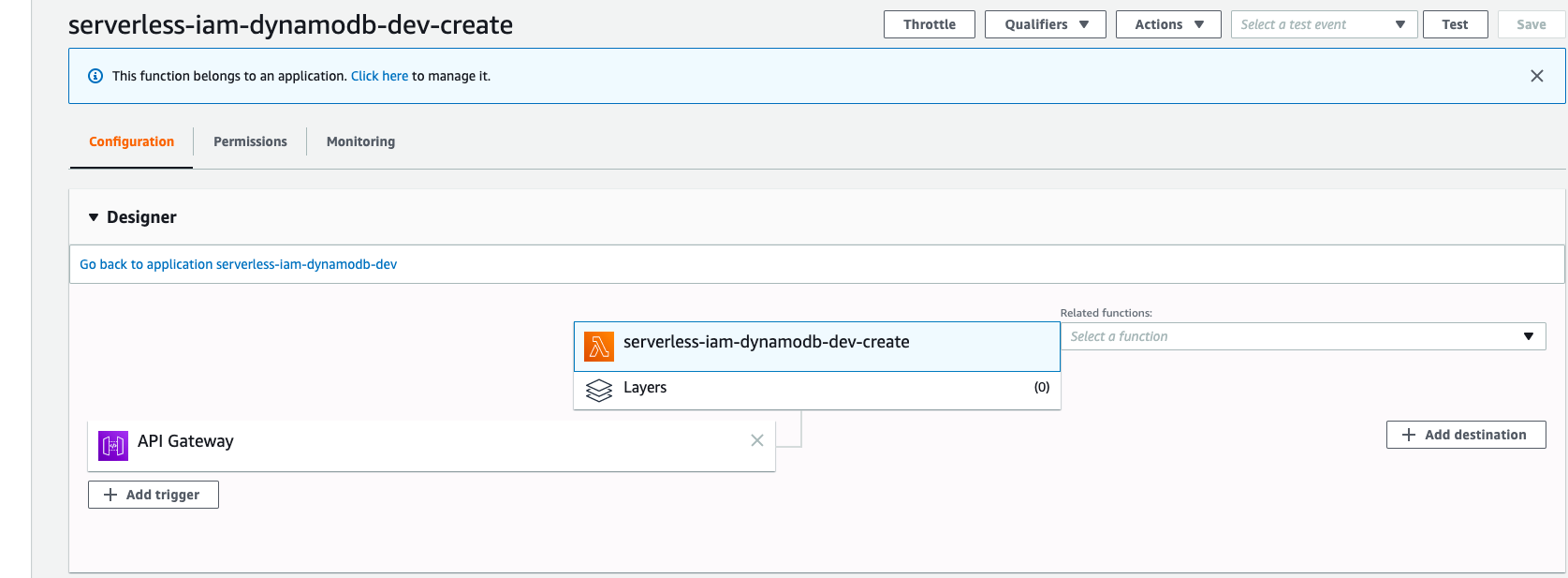
You can test your code either in Lambda or API Gateway.
A sample request
```json
{
"user_name": "wingkwong",
"email": "wingkwong@gmail.com",
"password": "password"
}
```
A sample response
```json
{
"id": "bd6fde14-3f6a-4551-95f3-349077a5501f",
"user_name": "wingkwong",
"first_name": null,
"last_name": null,
"age": null,
"phone": null,
"email": "wingkwong@gmail.com",
"password": "$2a$14$iwyLz8DOnbcolxXezZGXG.uXN9kCxJ8aYzMFftYZ06j1Ybb4uThC2",
"role": "user",
"is_active": true,
"created_at": "2019-12-28 11:08:10.684640037 +0000 UTC m=+0.077910868",
"modified_at": "2019-12-28 11:08:10.684757949 +0000 UTC m=+0.078028753"
}
```
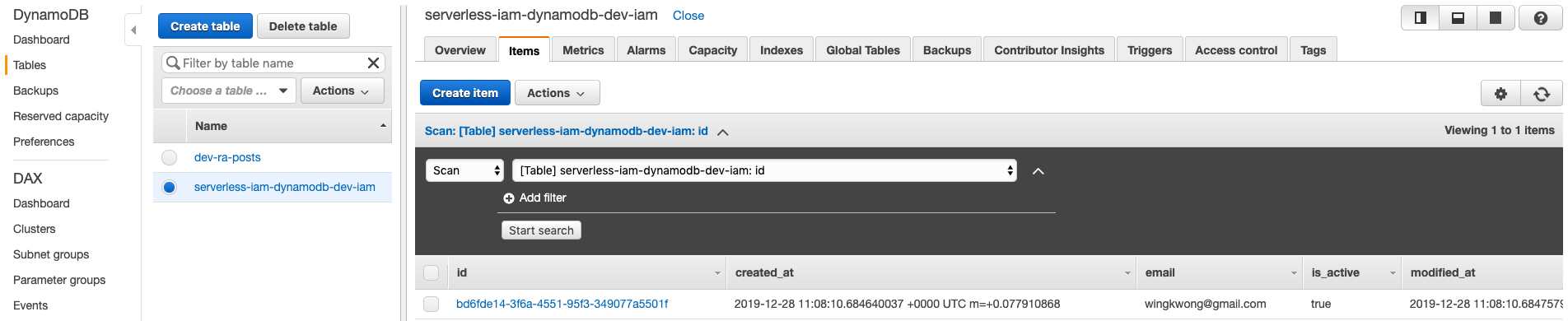
Go to DynamoDB and verify the result. The record has been inserted to ``serverless-iam-dynamodb-dev-iam``
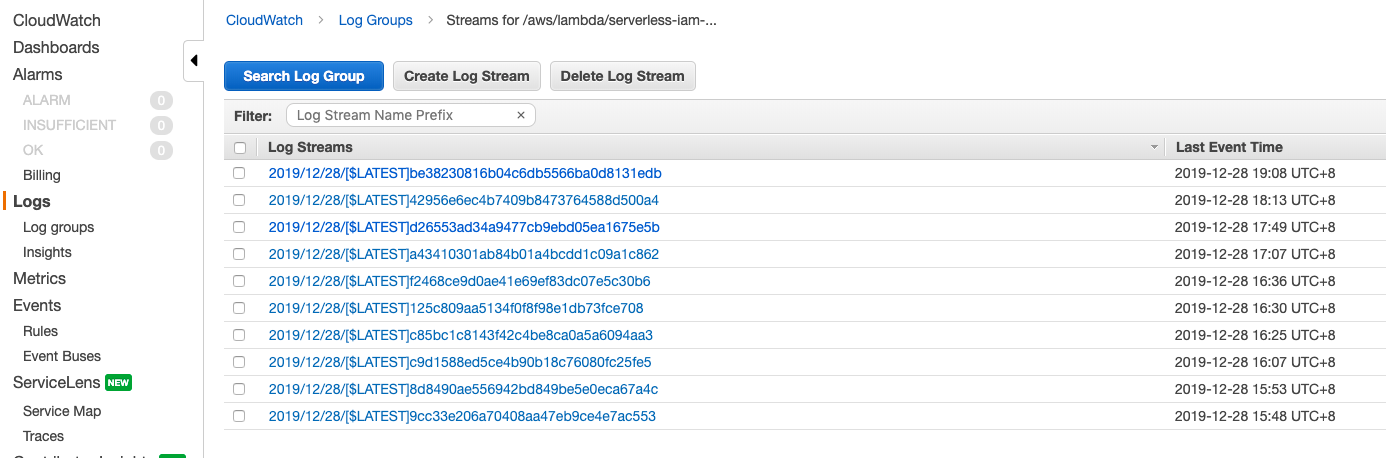
If you have any errors, you can go to CloudWatch > Logs > Log groups to view the log streams under ``/aws/lambda/serverless-iam-dynamodb-dev-create``
That's it for part 1. In the next post, we'll continue to create ``listHandler``.
Some useful links:
- [Go](https://golang.org/)
- [Dep Doc](https://golang.github.io/dep/docs/introduction.html)
- [Serverless Framework](https://serverless.com/)
- [Configure AWS Credentials](https://docs.aws.amazon.com/cli/latest/userguide/cli-chap-configure.html)
- [AWS SDK for Go API Reference](https://docs.aws.amazon.com/sdk-for-go/api/service/dynamodb/)
Subscribe to:
Posts (Atom)